Keep your records private.
The website and future marketing partnerships do not receive Notebook notes, doses, photos or customer health records. Use the app’s own saving, export and account controls.
Pep Notebook
Start with private peptide tracking for $25 a year. Add Workouts or Meal Prep to keep more of your week in the same notebook.
ARCHIVED WALKTHROUGH
This earlier tour shows the library and calendar with fictional records. Watch the current walkthrough
Actual app screens · fictional demo records · generated narration · visible English captions
Pick a chapter, then press Play. Captions are already visible in the video.
Welcome to Peptide Notebook, from Segner Strong. Track your peptides, your food, and your fitness in one place. This quick tour uses fictional demo entries, so you can see the workflow without anyone's private records.
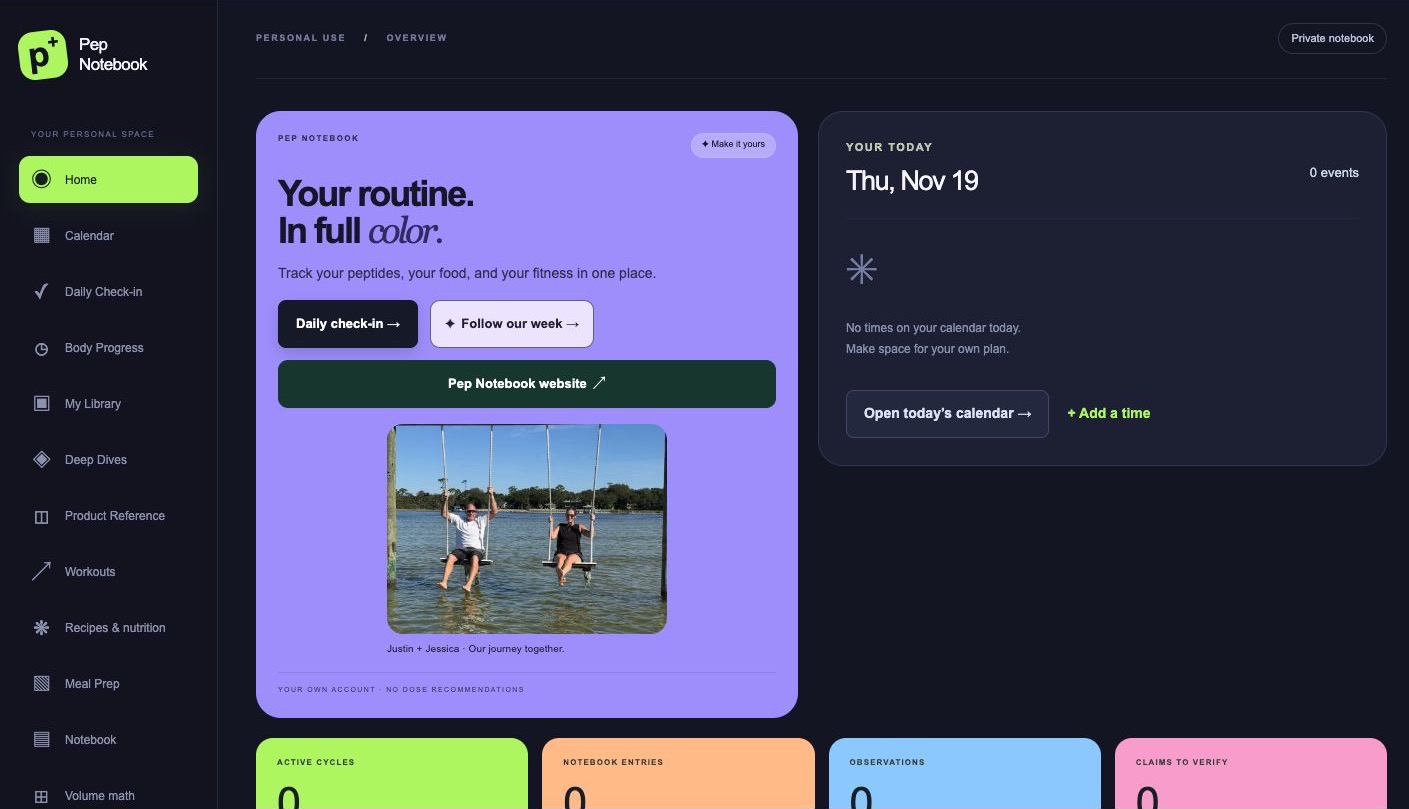
Home brings your day together. Use Your Today to see scheduled entries, then open Calendar or Daily Check-in from the left menu.
Start your research in Deep Dives. Search for a peptide and open Facts and Sources. Official product labeling and primary research are kept separate from community reports. An approved product's evidence does not automatically apply to a seller's research vial.
Here's a favorite feature: Peptide of the Week. Expand the podcast library and search for a topic. Open an episode to find its original page, transcript source, and listening link. Source Details explains what was reviewed and shows transcript passages when available. These are attributed podcast discussions, not personalized instructions.
To keep an item, choose My Library. Mark it Researching, Using, or Paused, and add your own questions. Optional dose and draw math belongs to that entry. Enter only values confirmed for your exact product; the calculator performs arithmetic and labels between-mark syringe positions as estimates.
For scheduling, turn on Add a Schedule Template. Choose a start date, your own days-on and days-off pattern, the duration, and a local clock time. Add the source or reference, then inspect the date preview. Here, we're demonstrating a weekly research-review reminder, not a treatment schedule.
Choose Save and Fill Calendar when you're ready. Save Library Only keeps the template without creating events. In Calendar, switch between Month and Week, select a day, and review its entries. Off days stay unscheduled. Times are kept as entered; this is not a background alarm.
Daily Check-in makes the day easier to log. After completing an entry, log it now or choose the actual time. Review a skip separately. The log doesn't invent a replacement dose or rearrange your plan.
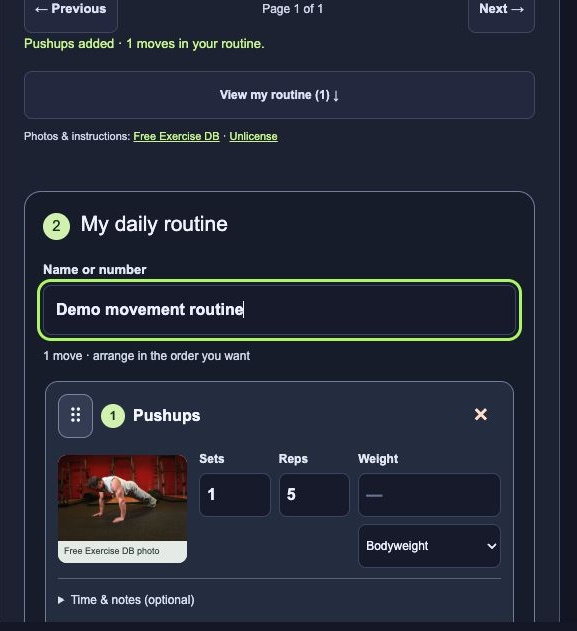
Your fitness and food can live alongside those records. In Workouts, pick pictured moves, arrange them in a routine, and enter your own sets, reps, and weight. Give the routine a name and review its calendar dates. In Recipes and Nutrition, pick meals or add your own. Reuse a named food week and review the shopping list. Nutrition stays labeled by source or estimate, with missing values shown honestly.
Before leaving, check My Data. This demo is session-only. Use the saving and export controls available in your own app, and keep a backup.
Research with context. Plan your week. Log what happened. Peptide Notebook: your routine, all together.
A guided edit of real app screens, not a continuous screen recording. The schedule example is a fictional research-review reminder; the 6.7-unit graphic uses fictional arithmetic inputs. Neither is a treatment or preparation instruction. Peptide of the Week links stay attributed; no podcast audio or footage is reused and no partnership is implied. Account setup, cloud saving and physical-phone behavior are outside this demo.
WORKOUTS ADD-ON
Choose pictured exercises, set your own sets, reps and weight, arrange the order and save a named daily routine. Schedule it when it fits your week.
Strength, yoga / mobility and cardio. The source library includes 123 stretches, not 123 verified yoga poses. Photos or instructions are absent on a few entries and are labeled accordingly.
MEAL PREP ADD-ON
Pick from the recipe library or add your own recipe and photo. Name a week, reuse it later, and keep shopping lists with the plan.
Known nutrition is labeled by source or estimate; missing values stay unknown. People enter their own targets and portions.

Recipes + portions + shopping list
Review dates before adding to Calendar.
03 / KEEP THE DETAILS TOGETHER
Calendar and daily check-ins connect the plans you enter. Body Progress keeps dated photos, weight and measurements in your private notebook.
My Library holds saved entries and arithmetic. Deep Dives keeps official labeling, research, podcasts and community reports visibly separate.
The calculator uses values you enter and labels fractional syringe positions as estimates. It does not select doses, establish measurability or prescribe treatment. FeelFit import compatibility and direct scale syncing are not verified.
WDJD / FOLLOW OUR WEEK
The app has Justin and Jessica profile views and a reviewed meal/workout copy flow. Real shared weeks are still awaiting approved content. Advance Excel preparation and Sunday-night publishing are planned, not running yet.
Personal dosage schedules can be displayed as view-only author-approved records. They never automatically fill another person’s calculator, library or treatment calendar. Users manually enter their own clinician-confirmed instructions.
Individual plans start at $25 per year. Workouts and Meal Prep are $10 per year each, or $45 total with both. The $75 couples plan includes both features for two people with separate private accounts. Plans renew annually until canceled.
See current annual plansThe website and future marketing partnerships do not receive Notebook notes, doses, photos or customer health records. Use the app’s own saving, export and account controls.
This software supplies no clinical services or starting protocol. Evidence and personal stories do not replace individualized care.